
How to buy goods on Taobao?
Product search.
Go to https://www.taobao.com. The site is in Chinese, so enable automatic translation into Ukrainian or English in your browser (Google Chrome is recommended).
There are several search options:
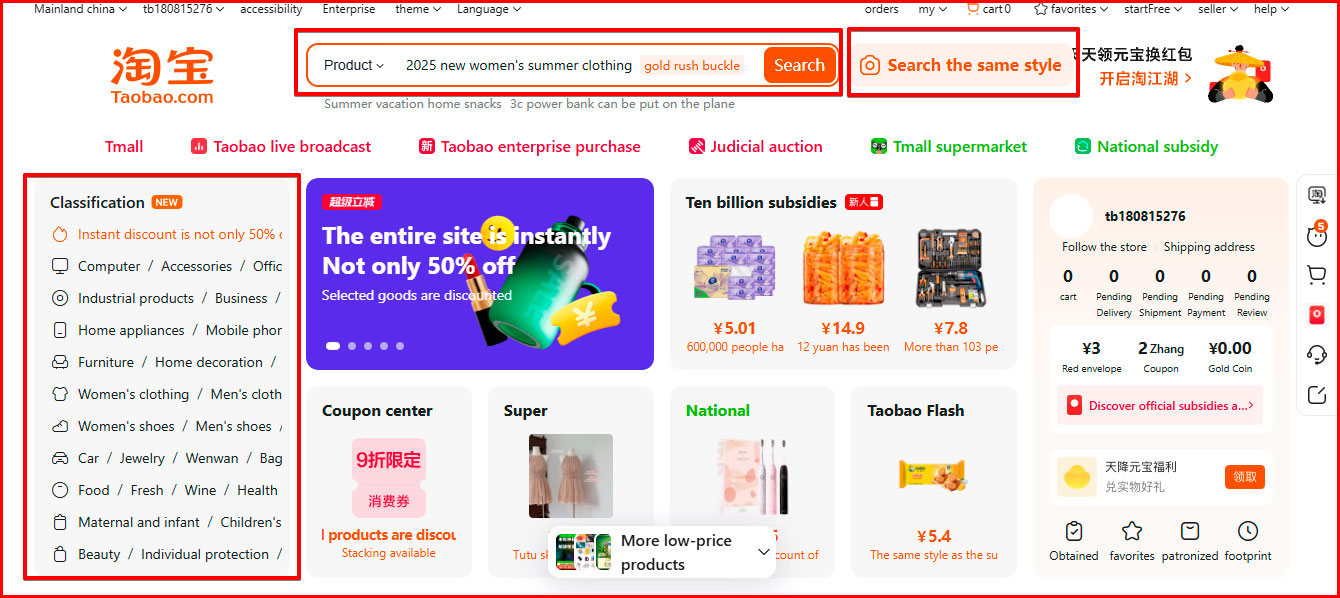
1. Translate the product name into Chinese using a translator and insert the characters into the search bar on Taobao.
2. Use the automatic translator to understand the section names and select the appropriate product category.
3. Click on the camera icon in the search, upload an image of the product and the system will select similar options.
Order placement and payment
1. Select the product you are interested in and its parameters: color, size, quantity, etc. Click the orange button "Add to cart".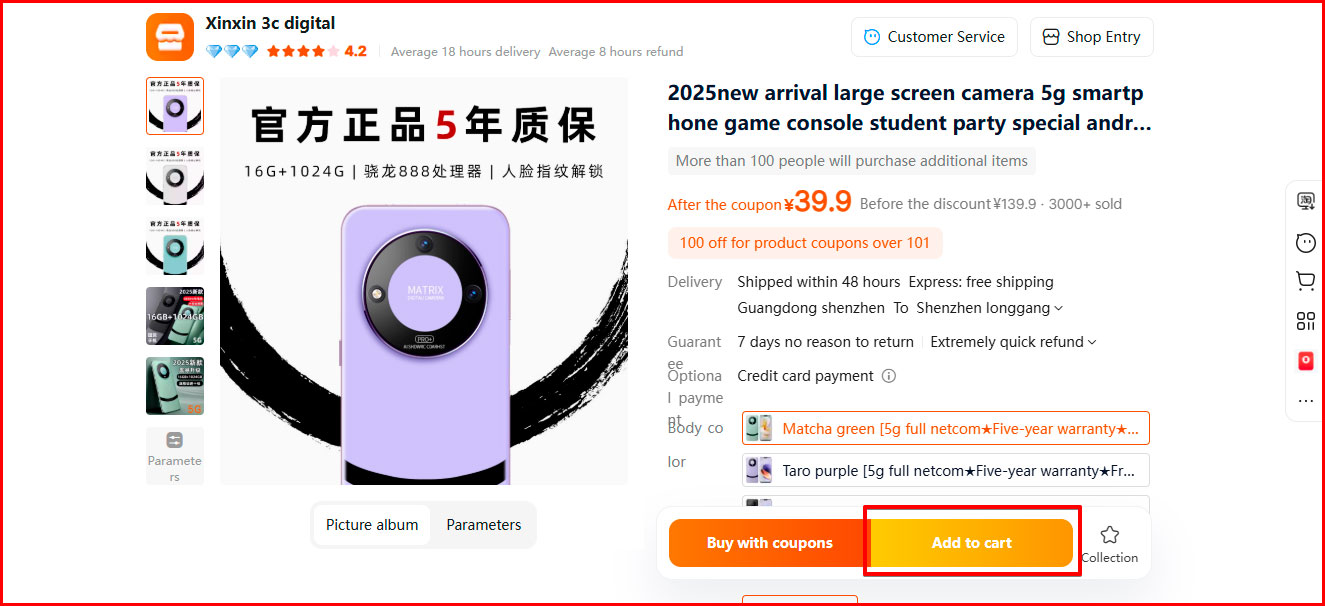
2. Go to the cart, select the product you want to buy and click the orange button "Settlement".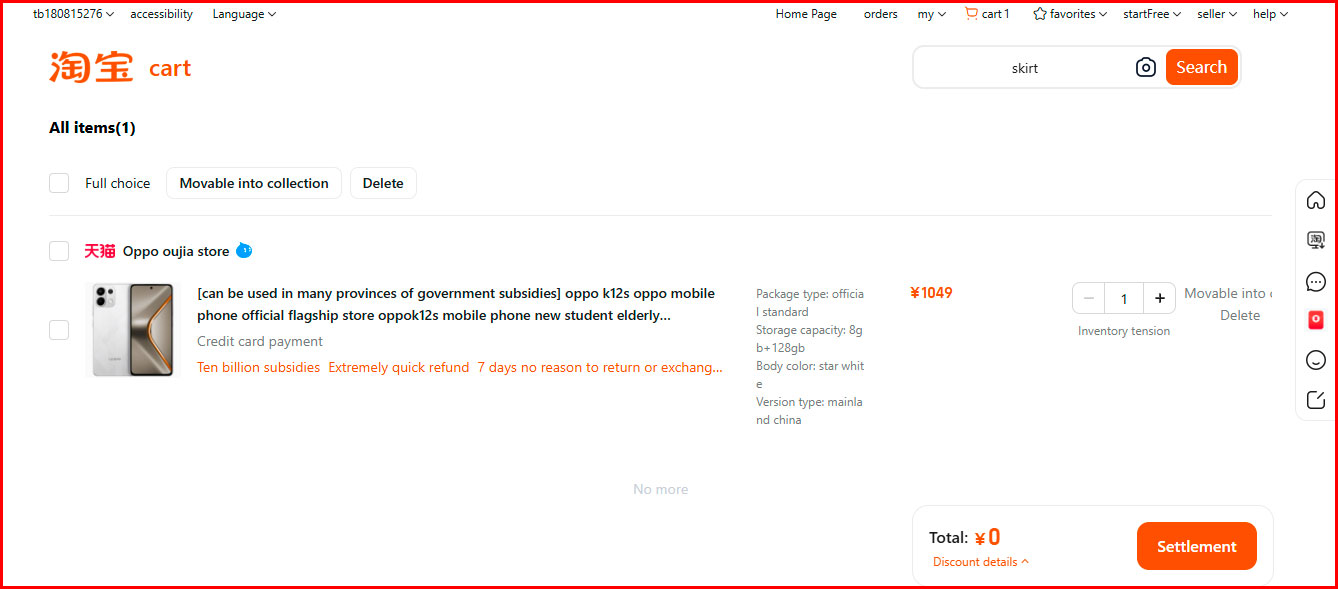
3. To pay with Visa or Mastercard cards, select the "Coin" option and click the "Submit an order" button.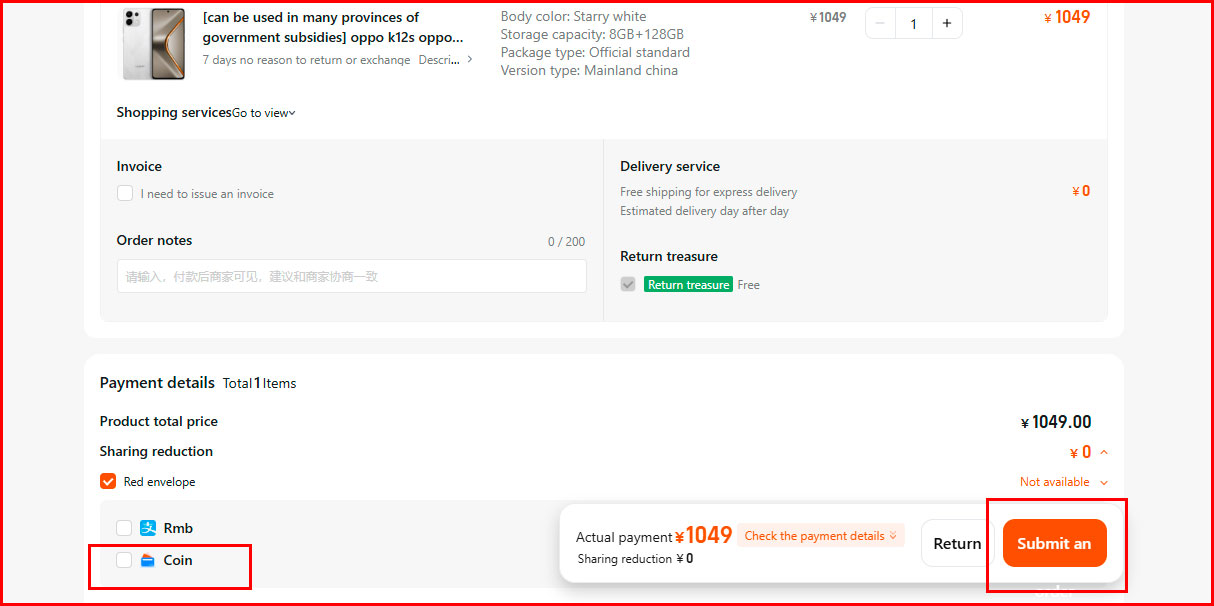
4. In the next window, add a card - write the card number, name and surname, expiration date and CVV, click the "Use this card" button and then the "Payyour order" button.
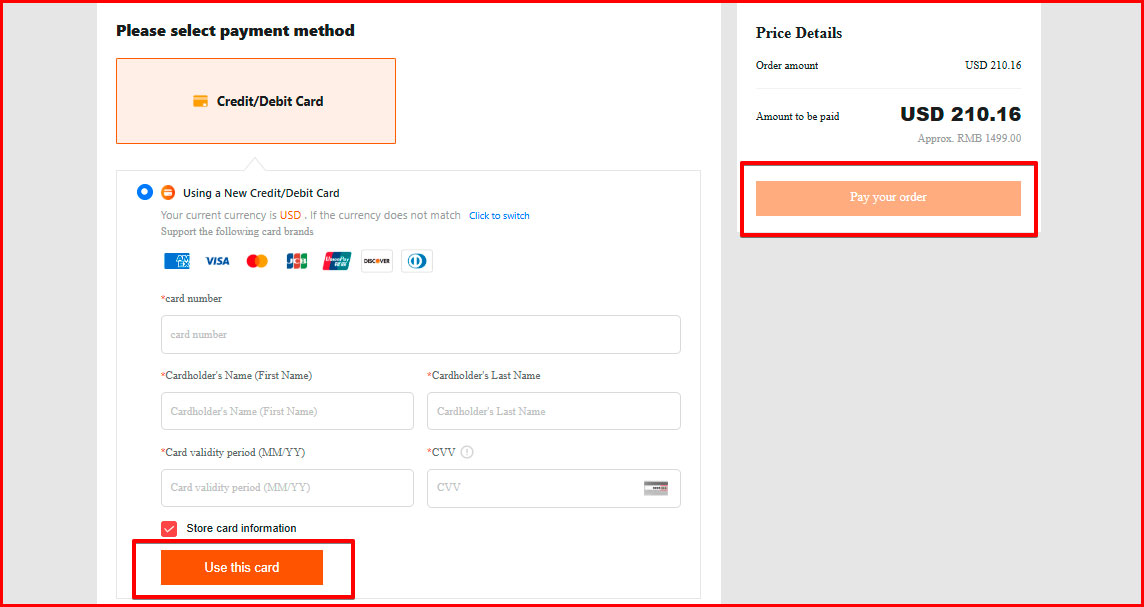
Congratulations, your order has been paid for!
How to find the tracking number of a parcel in the Taobao application?
1. Log in to your Taobao account and select the order you want to track.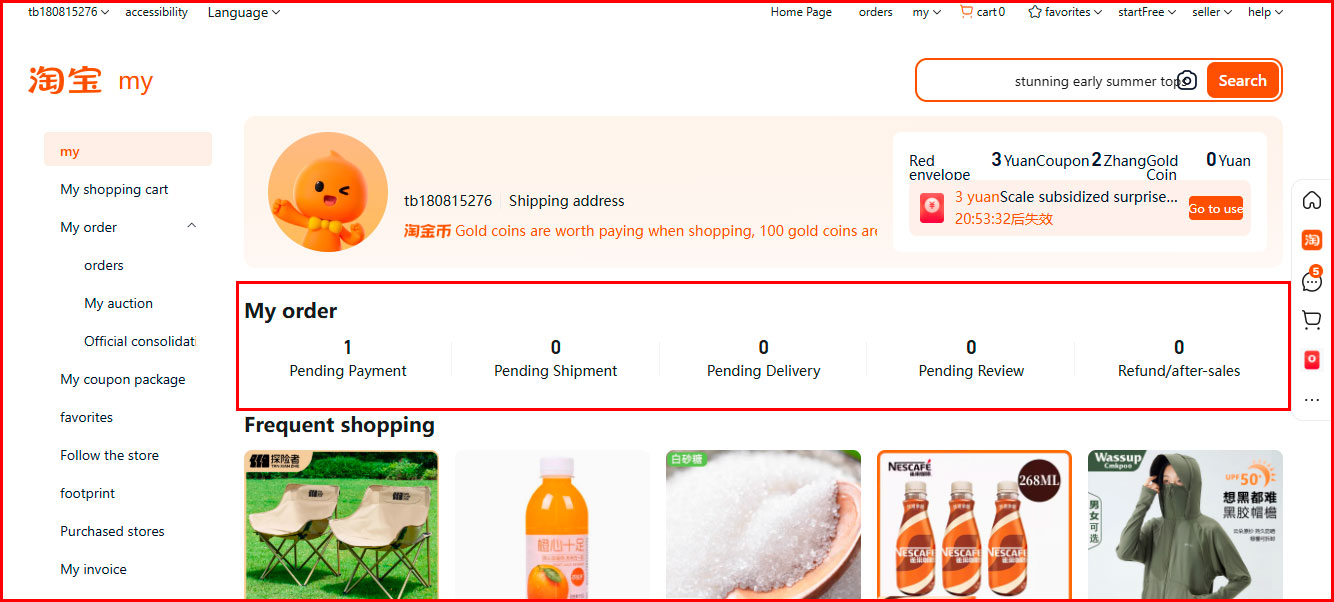
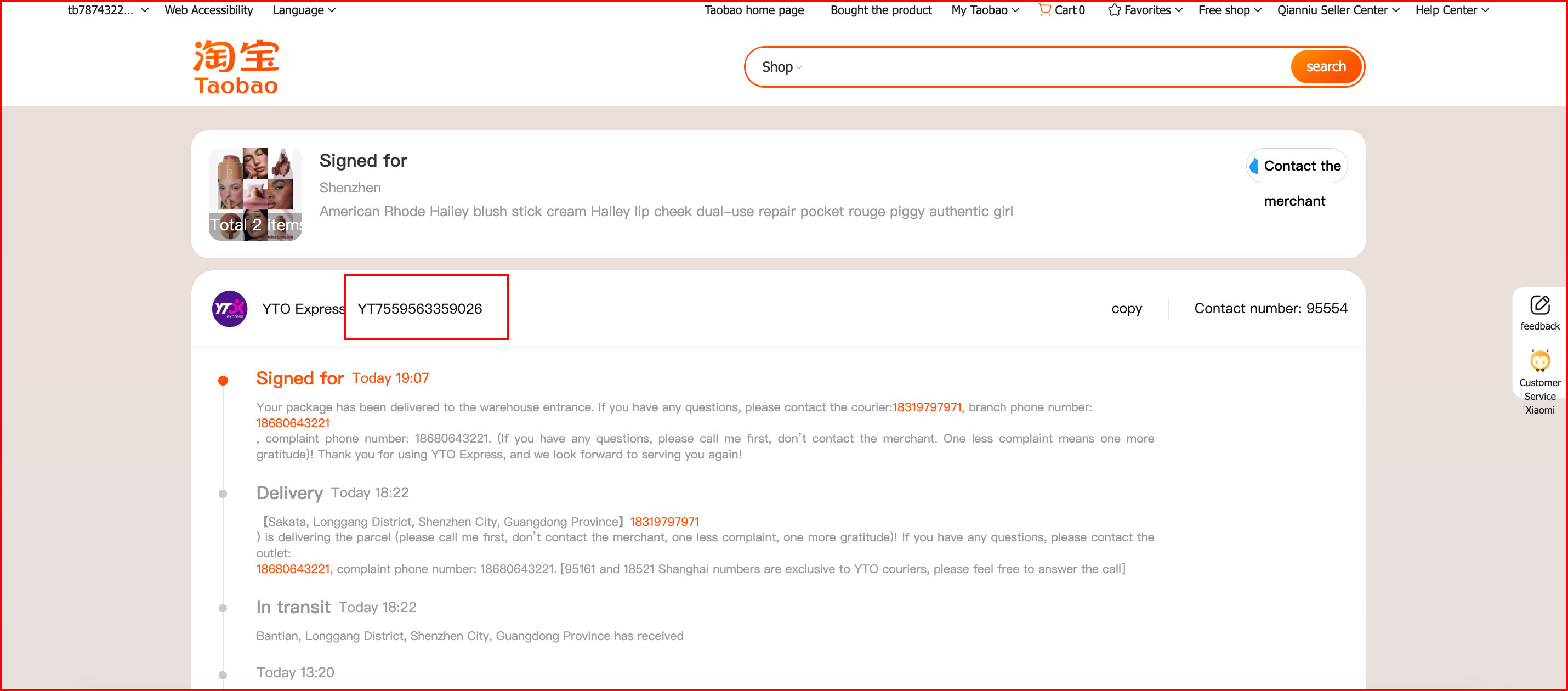
2. Click on the product photo, in the next window a tab with information about the order status will open. If the order tracking number has already been added, it will be displayed here. Copy the tracking number and register the product in your Easyxpress profile.
Read also



Popular Brands USA















Shopping in USA has never been so easy!
Sign up and get free US Address for delivering from online stores! Your purchases will be with you within 4-9 days!
Sign upBest useful tips
- Таможенные пошлины – всё, что вы хотели знать, но боялись спросить
- Как искать на Ebay
- Как сделать свой первый заказ с easyXpress?
easyXpress reviews

Замовляв одяг та взуття через easyxpress, все надійшло досить швидко. Скористався послугою розділення, та фото вмісту, прийшло все як на фотоБуду замовляти ще

Хочу залишити свій відгук про роботукомпанії #1 по доставці товарів з США. Це компанія easyXpress. Якщо потрібно купити товар з США та оформити доставку в Україну, то це тільки easyXpress.Це дуже приємний та кваліфікований колектив, який завжди допоможе. Також це швидка доставка, а ціни максимально низькі та прозорі. Зручний особистий кабінет. Мені дуже подобаеться такий підхід до своїх клієнтів. Дійсно еаsy та дійсно xpress. Миру та процвітання компанії.

Спасибо :) работаете отлично и супер быстро! Очень приятно сотрудничать с Вами