
Date of publication:26.06.2025
How to register and add the delivery address on Taobao?
1. Go to https://www.taobao.com. The site is in Chinese, so enable automatic translation to English or Ukrainian in your browser (Google Chrome is recommended).
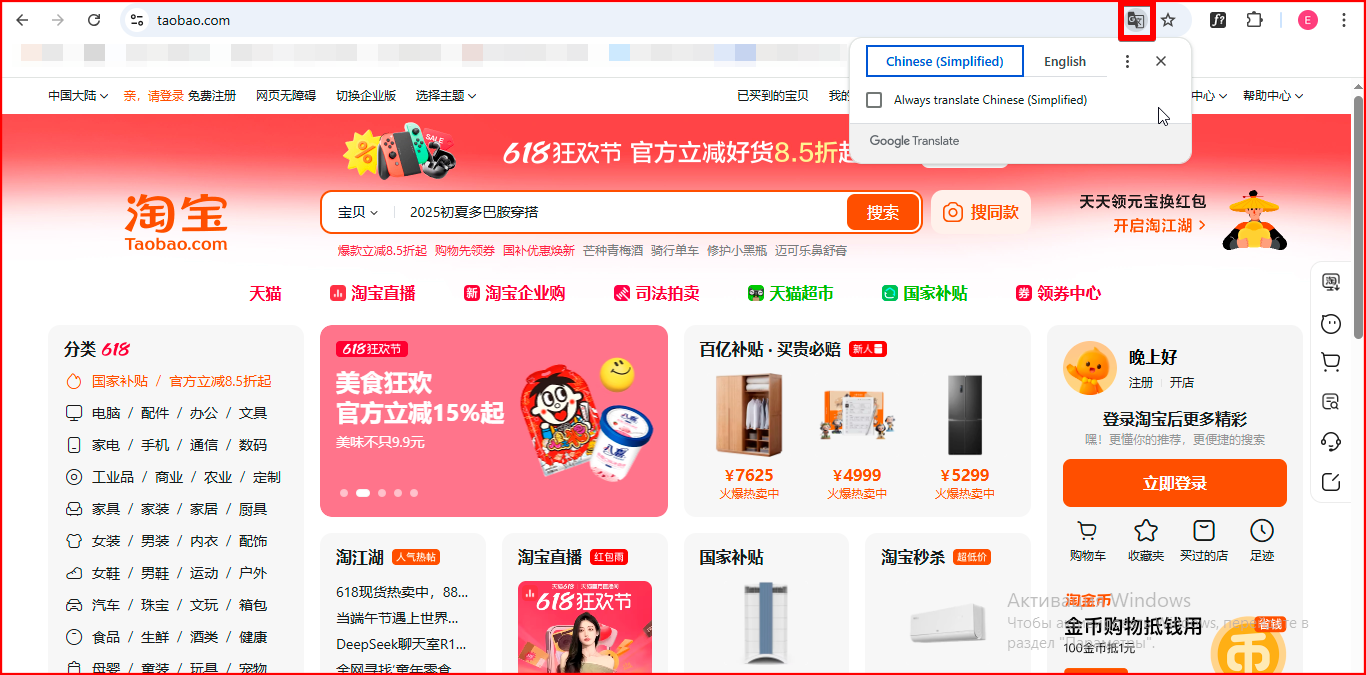
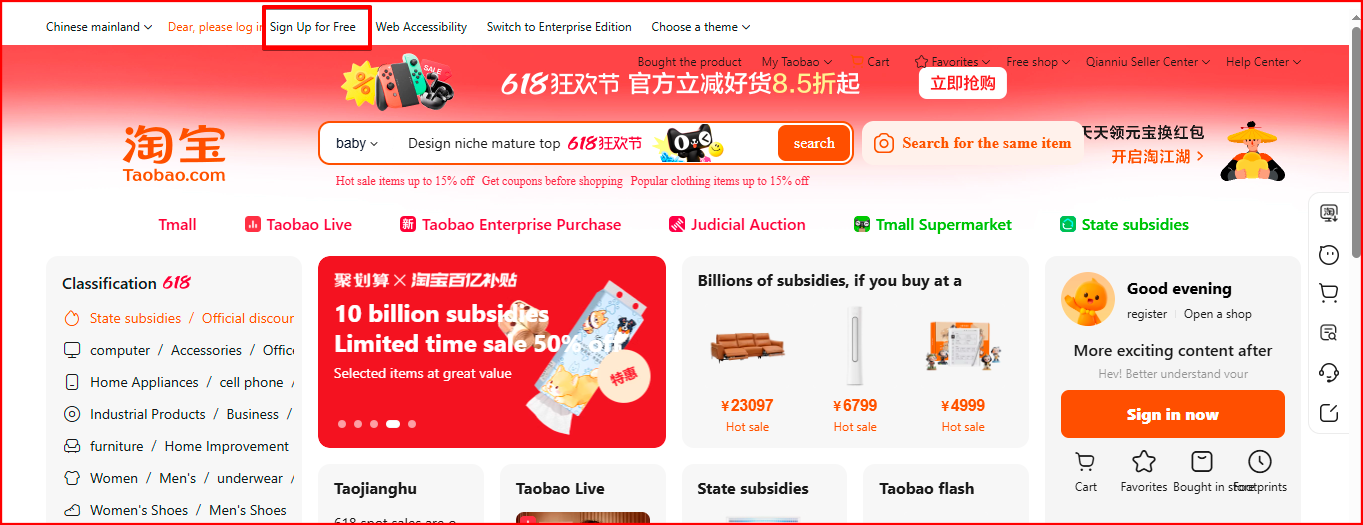
2. Once the automatic translation is working, click on the "Free Registration" section located at the top of the website.
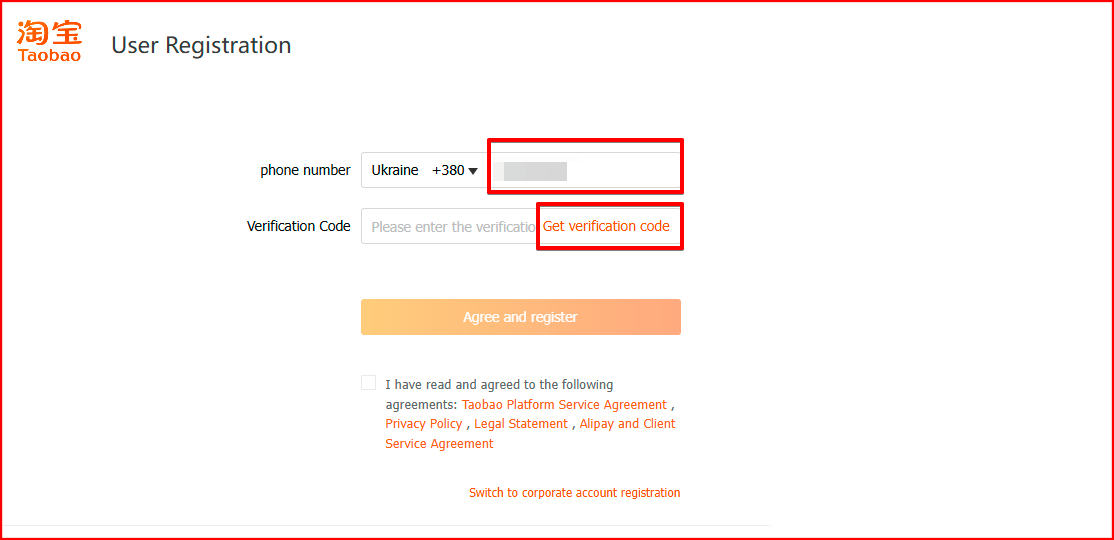
3. Select your country, enter your phone number, and click "Get verification code". Enter the SMS code you receive on your phone, agree to the service terms, and click the "Agree and Register" button.
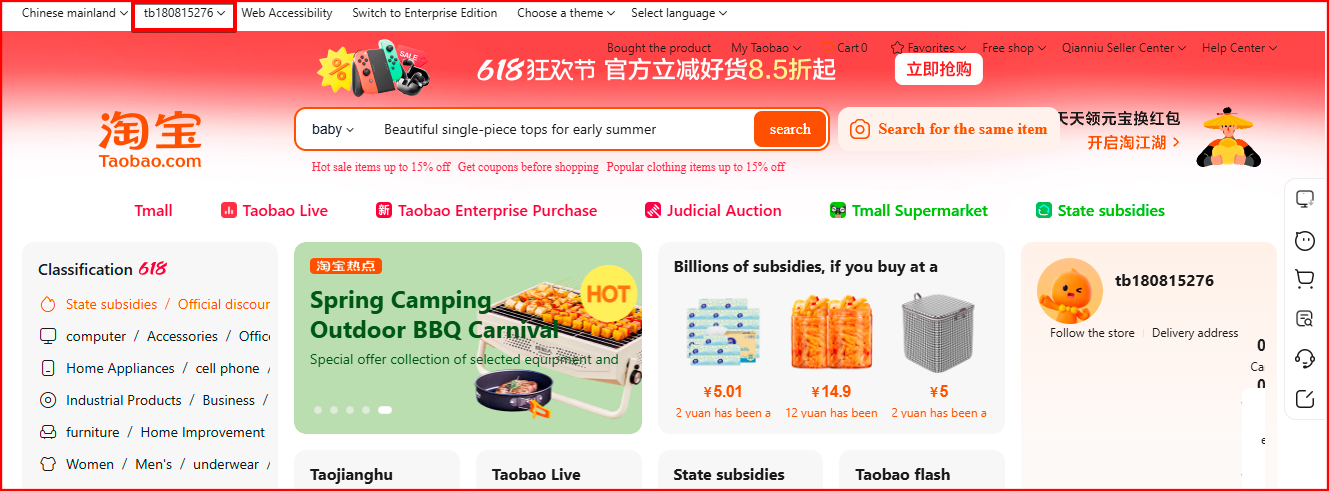
4. After registration, you will be redirected to the homepage. In the header, click on your account.
5. Click on the "Delivery address" section.
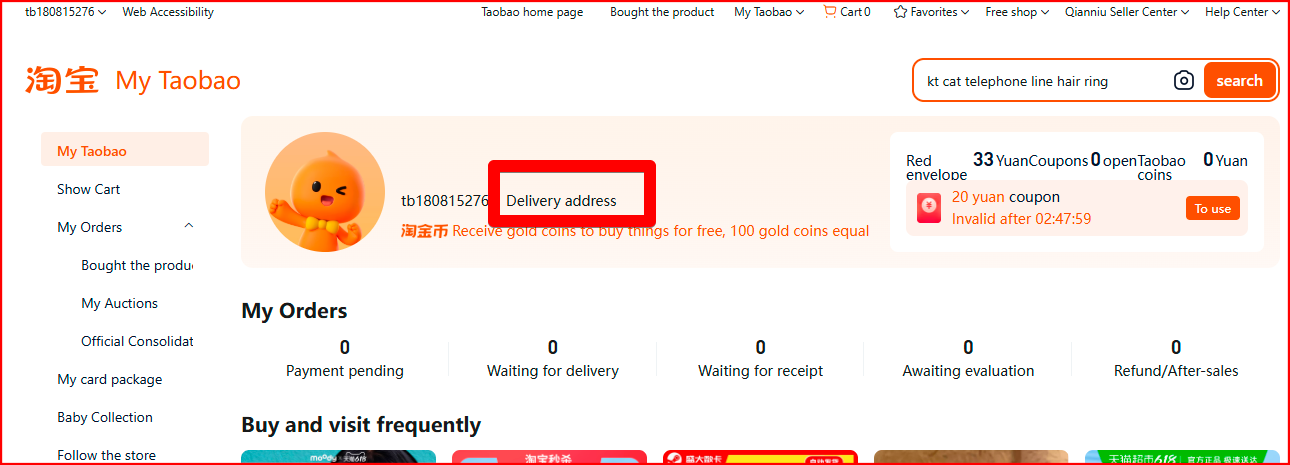
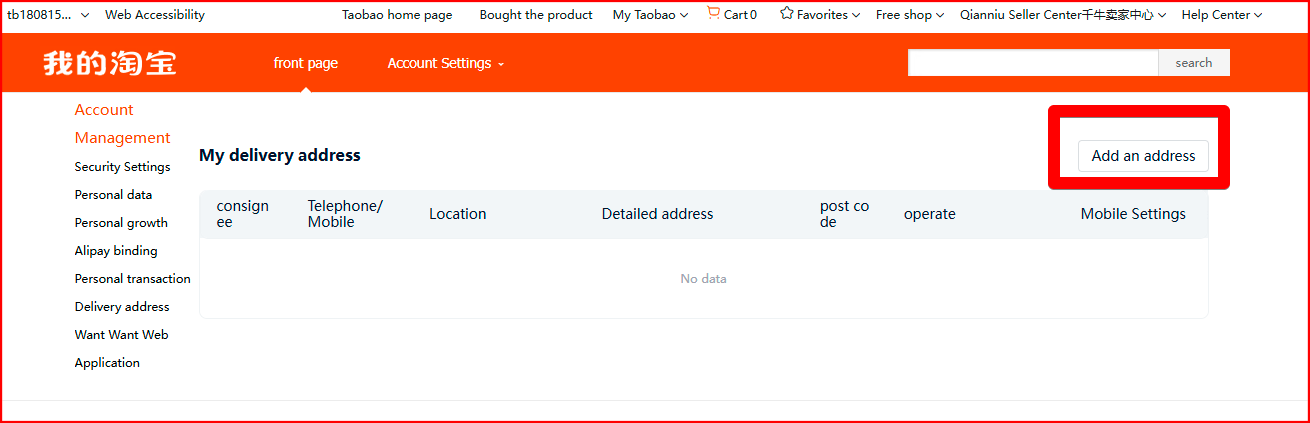
6. On the right side of the screen, click the "Add an address" button.
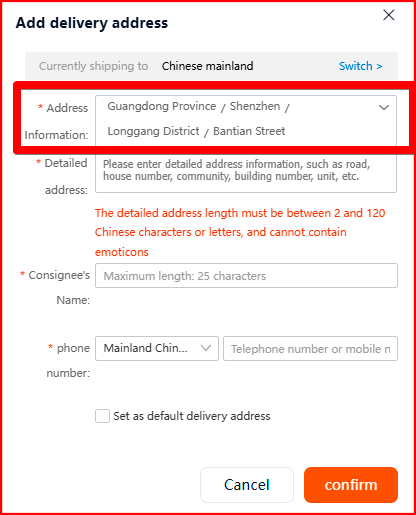
7. In the pop-up window, click on the "Address Information" section and fill in the following fields:
Province – Guangdong Province.
City – Shenzhen.
District – Longgang District.
Street – Bantian Street.
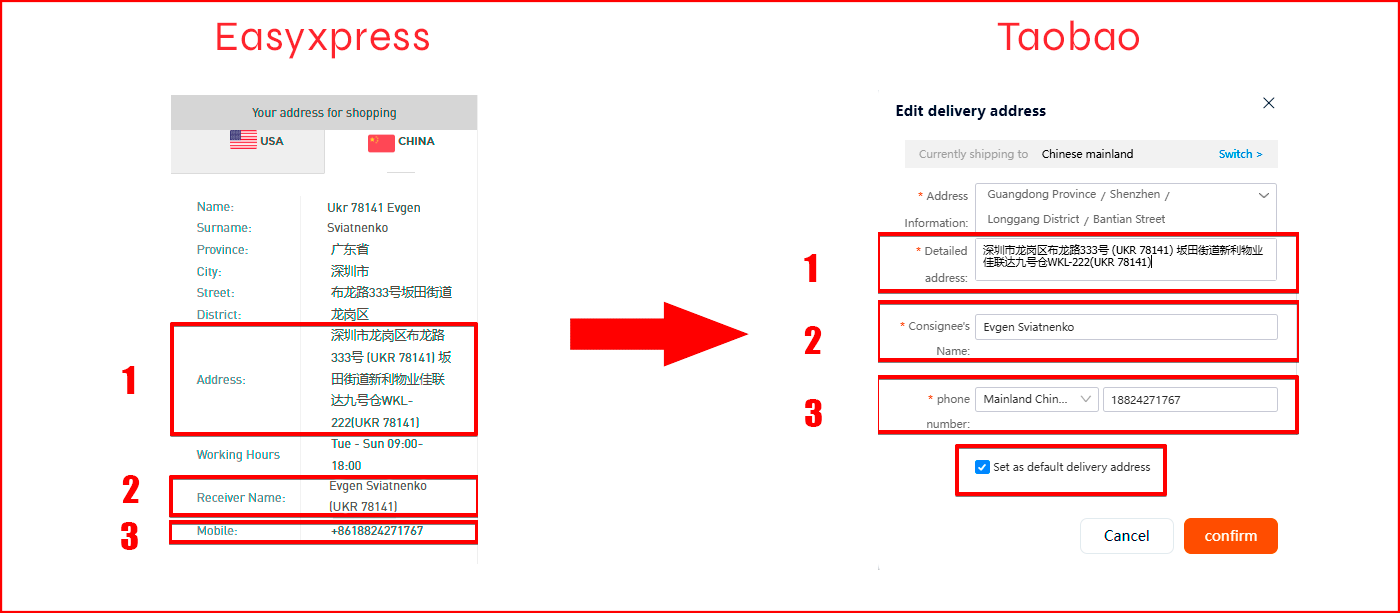
8. In the same window, fill in the sections – "Detailed Address", "Recipient Name", "Phone Number".
Do this:
- go to your Easyxpress profile and select the "China" tab;
- copy the information from the "Address" section into the "Detailed Address" field;
- copy the information from the "Receiver Name" section into the "Recipient Name" field (only first and last name, without room number);
- copy the information from the "Mobile" section into the "Phone Number" field (without the +86 area code);
- check the box for "Set as default shipping address" and click the "Confirm" button.
Congratulations, you are now registered on Taobao!
Read also


Popular Brands USA















Shopping in USA has never been so easy!
Sign up and get free US Address for delivering from online stores! Your purchases will be with you within 4-9 days!
Sign upBest useful tips
- Как сделать свой первый заказ с easyXpress?
- Как искать на Ebay
- Таможенные пошлины – всё, что вы хотели знать, но боялись спросить
easyXpress reviews

Решил попробовать услуги данной компании. На все вопросы очень быстро получил ответы. Без малейших проблем и в обещанные сроки была выполнена поставка. Очень приятно, что даже в субботу отвечали на дальнейшие вопросы. Скажу кратко, я доволен :)

Спасибо за быструю, качественную доставку. Пользуюсь вашими услугами не впервый раз и всегда остаюсь довольной)

Спасибо большое за сервис! Посылочка из Америки прилетела очень быстро, спасибо за отправку НП! Буду пользоваться услугами постоянно!!