
Date of publication:27.06.2025
How to buy products on Pinduoduo?
Navigation in the Pinduoduo app.
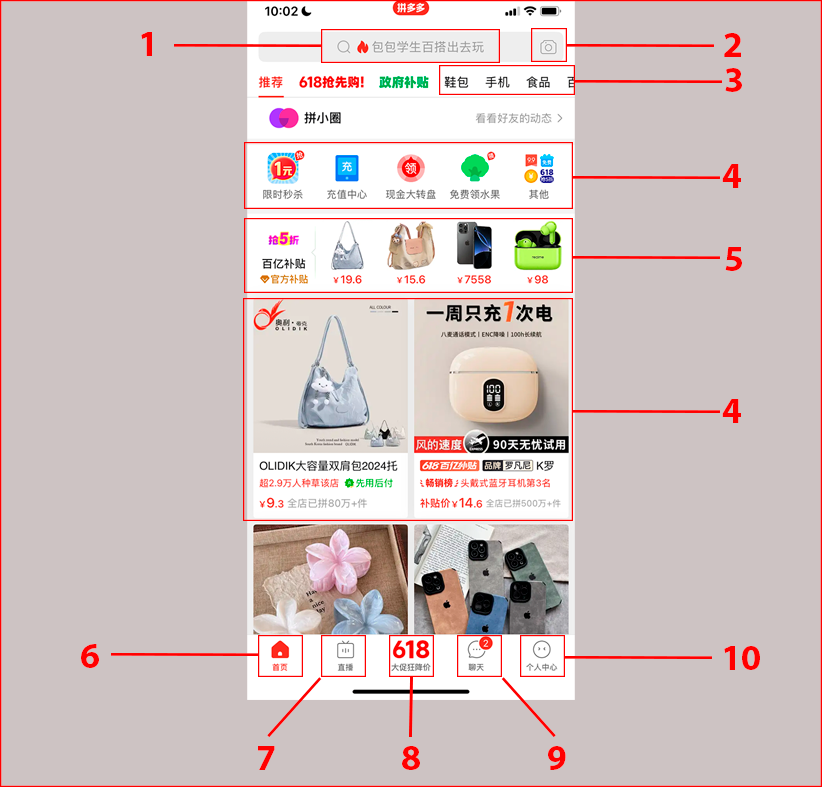
On the main page, you can find:
1. The search bar. Here you can paste the name of the item you’re interested in, after translating it into Chinese using a translator.
2. The image search icon.
3. Product categories.
4. Recommendations.
5. Low-priced offers.
6. Home page.
7. Video content from stores.
8. Current sales.
9. Chats with sellers.
10. Your Pinduoduo account.
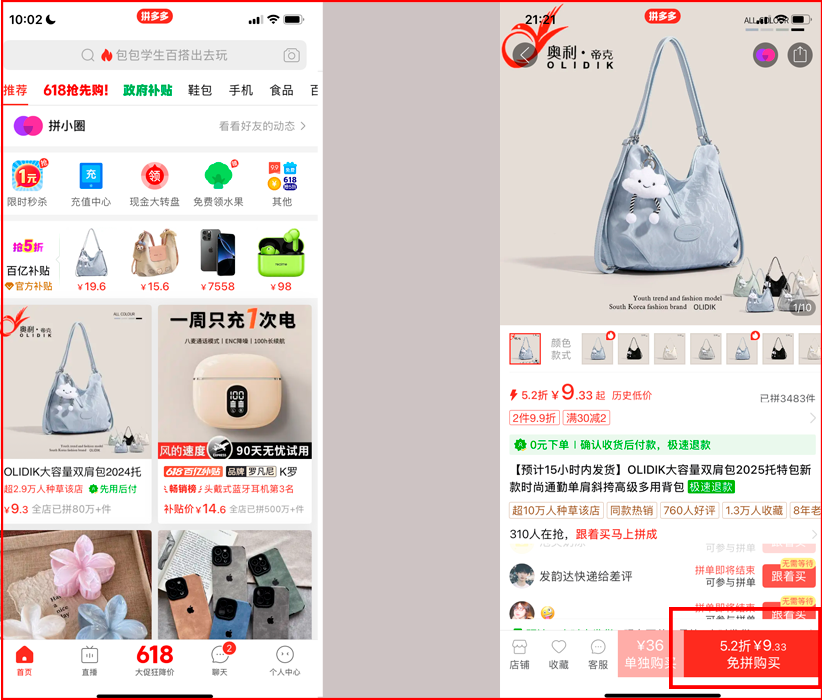
To purchase an item, you need to:
1. Choose the item you are interested in and click on it. Then click the red button to proceed with the order.
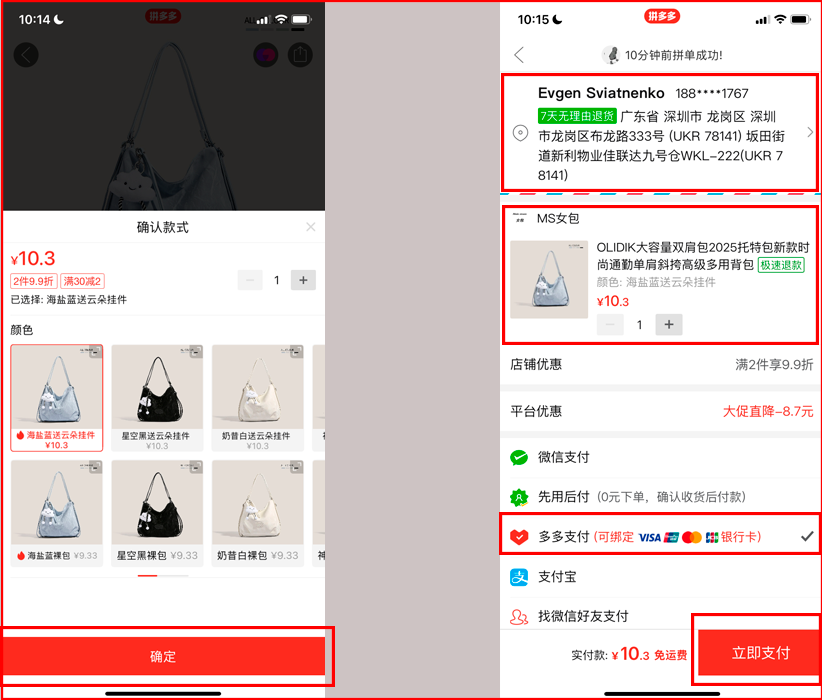
2. Enter the required parameters. Click the red button to continue. Check the correctness of the address, item specifications, and quantity. Choose the payment method with a Visa or MasterCard card. Click the red button.
3. Click the red button again and enter your bank card number.
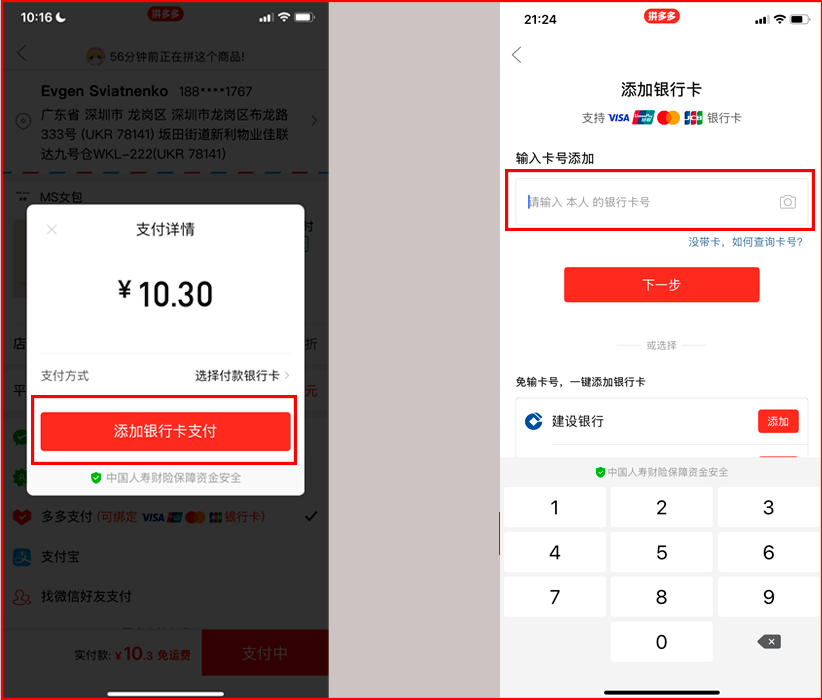
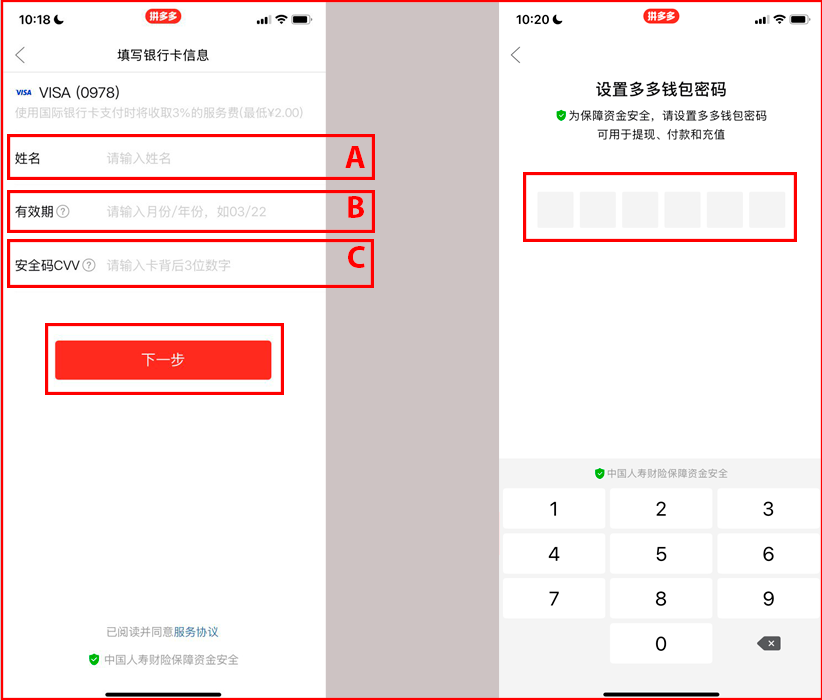
4. On the next screen, add your card details:
A. Name and surname of the cardholder.
B. Expiration date in the format of month and year.
C. CVV code and click the red button.
Then enter the payment password for the DuoDuo wallet, which will be used for future purchases. Enter the code again and confirm the transaction.
Congratulations, your order has been paid for. Wait for the item to be shipped to the Easyxpress warehouse in China.
How to find the tracking number for a parcel in the Pinduoduo app?
Go to your profile and click the button with the truck icon. Find the required order. In the or
Read also


Popular Brands USA















Shopping in USA has never been so easy!
Sign up and get free US Address for delivering from online stores! Your purchases will be with you within 4-9 days!
Sign upBest useful tips
- Как купить авто на аукционе в США?
- Вещи, запрещенные к пересылке
- Таможенные пошлины – всё, что вы хотели знать, но боялись спросить
easyXpress reviews

Чудова служба пересилання пошти! Я є клієнтом вже більше 5 років, завжди надійний, розумні ціни та відмінна підтримка клієнтів! Пакунки доставляються в Україну вчасно, як і було обіцяно, вони забезпечують підтримку з митним оформленням, і у мене ніколи не виникає проблем із відправкою посилок моїй родині в Україну!! Дуже рекомендую!

Заказал себе смарт часы с амазон,дошли за неделю,сервисом доволен,все на высшем уровне. Планирую пользоваться в дальнейшем.

Можу сміливо рекомендувати цю кур'єрську службу.За 2 роки, які я доставляла посилки, жодного разу не мала з нею проблем. Класно, що є можливість замовляти товари не тільки на своє ім'я. Тому я купую товари для своїх рідних в Україні.