
Date of publication:27.06.2025
How to register on Alipay?
1. Download the "Alipay" app from Google Play or the App Store on your mobile phone. Register using your phone number – select your country code and enter your phone number, then click "Next".
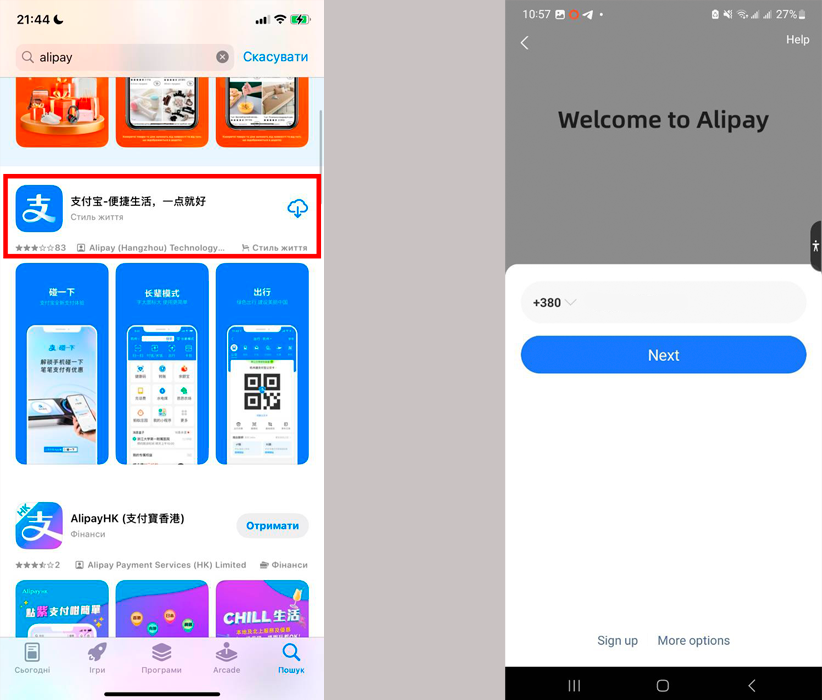
2. Accept the terms of use and enter the verification code that will be sent to you via SMS.
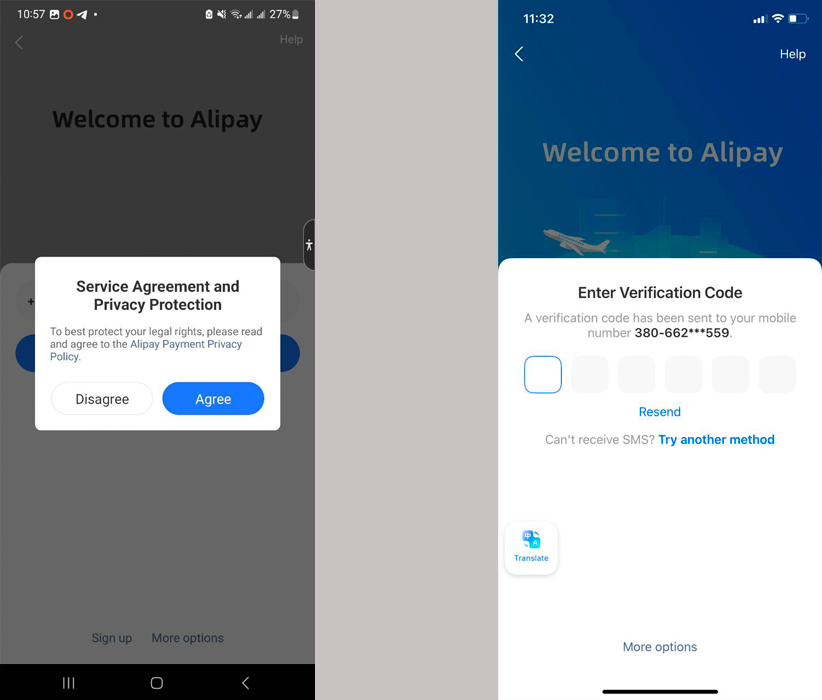
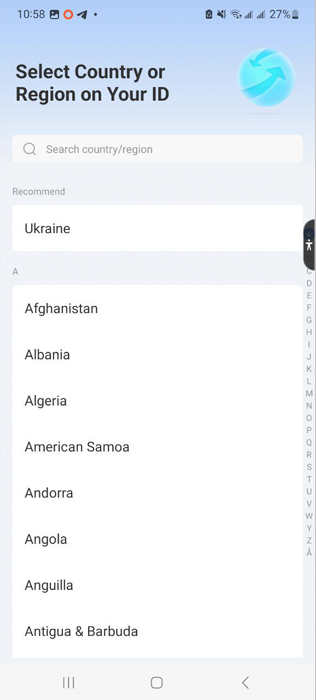
3. Select the country or region listed in your passport.
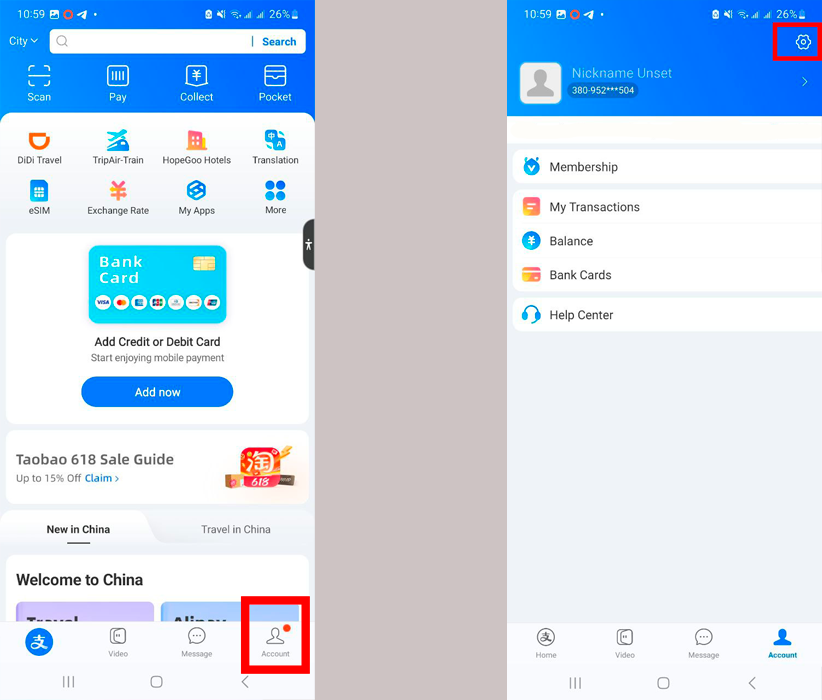
4. In the bottom right corner of the app, tap the "Account" icon and then tap "add email address and set password". Create a password for your account and add your email address. Confirm it using the verification code sent to your email and the SMS code sent to your phone number.
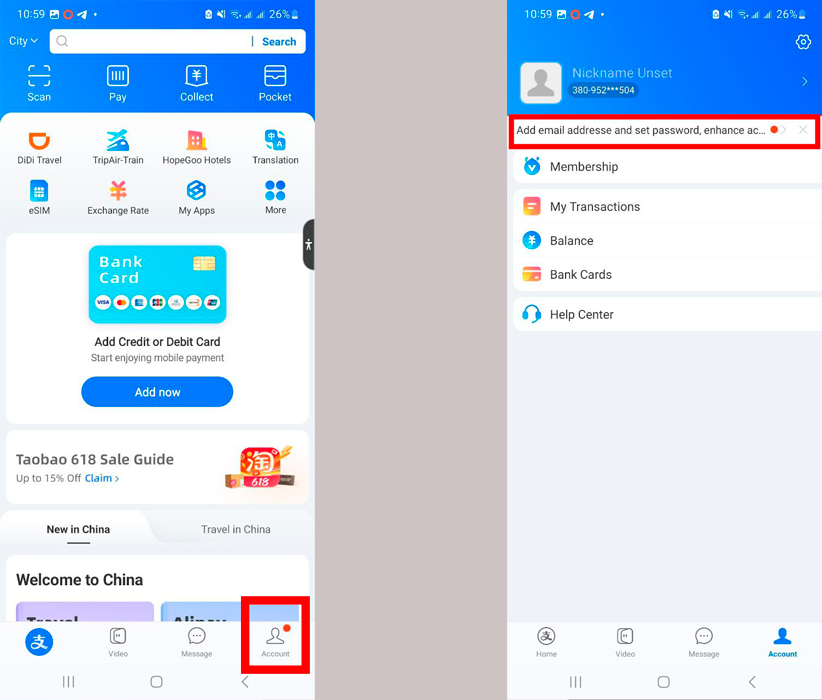
5. Set up a payment password – in the bottom right corner of the app, tap the "Account" icon. Then tap the gear icon in the top right corner.
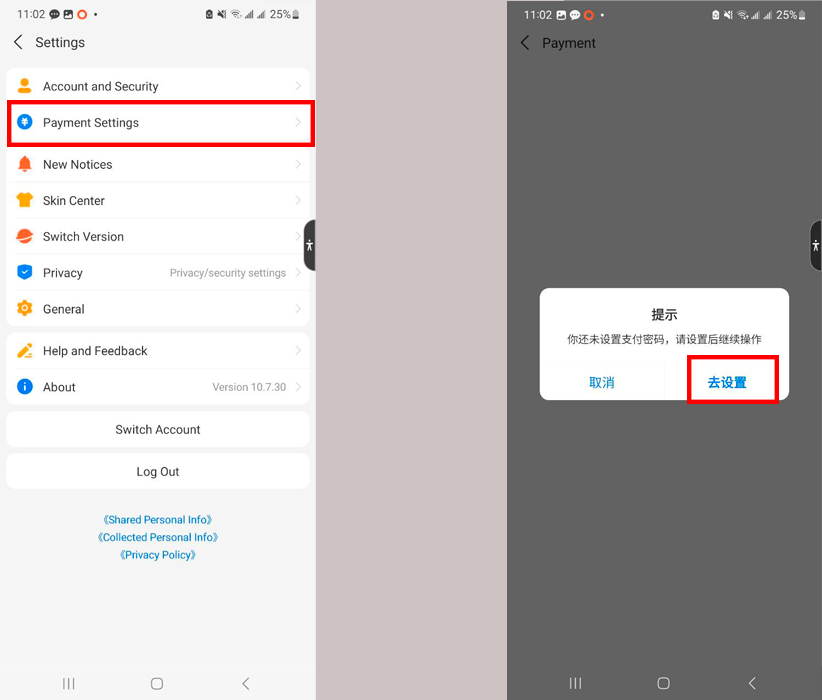
6. Open the "Payment settings" section and then click the blue Chinese characters on the right.
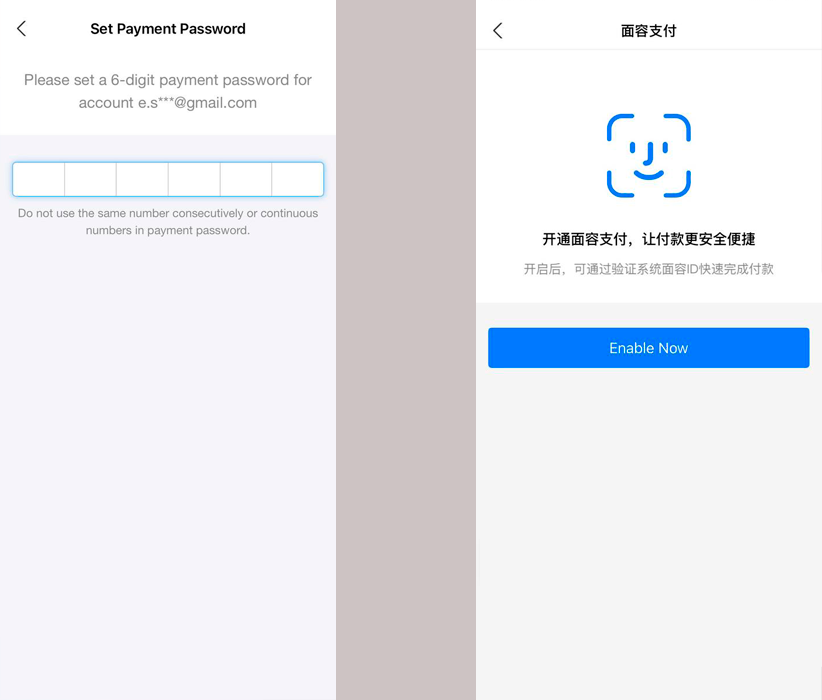
7. To complete the verification, enter your payment password twice and click the "Next" button. Confirm the use of Face ID for authentication.
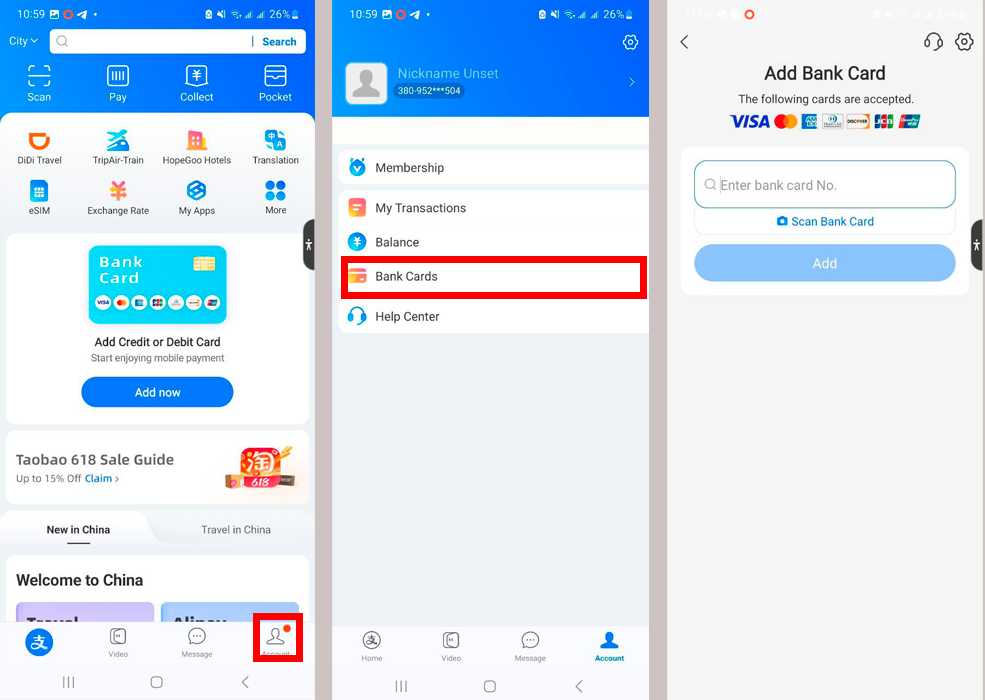
8. Add your bank card to Alipay – tap the "Account" icon. Then select the "Bank Cards" section and enter your card details.
Congratulations, you have successfully registered on Alipay!
Read also



Popular Brands USA














Shopping in USA has never been so easy!
Sign up and get free US Address for delivering from online stores! Your purchases will be with you within 4-9 days!
Sign upBest useful tips
- Таможенные пошлины – всё, что вы хотели знать, но боялись спросить
- Как купить авто на аукционе в США?
- Что делать, если система не принимает Ваш трекинг код?
easyXpress reviews

Замовляв одяг та взуття через easyxpress, все надійшло досить швидко. Скористався послугою розділення, та фото вмісту, прийшло все як на фотоБуду замовляти ще

Все чудово. Доставляють швидко та надійно. Бажаю, щоб усім так швидко приходили відправлення саме через EasyXpress)

Спасибо большое за сервис! Посылочка из Америки прилетела очень быстро, спасибо за отправку НП! Буду пользоваться услугами постоянно!!